
APPAREL WORKFLOW · GENERATION BETA
Flat lay to model AI, starting with your own garment.
Have a clothing flat lay but no model shoot? Use it as the source for an on-model candidate. Choose a model direction and scene in Studio, then compare the garment with your original before downloading.
Open on-model workflowReal generation requires sign-in, credits and an available AI service. Studio shows availability before submission. You can prepare a local draft first.
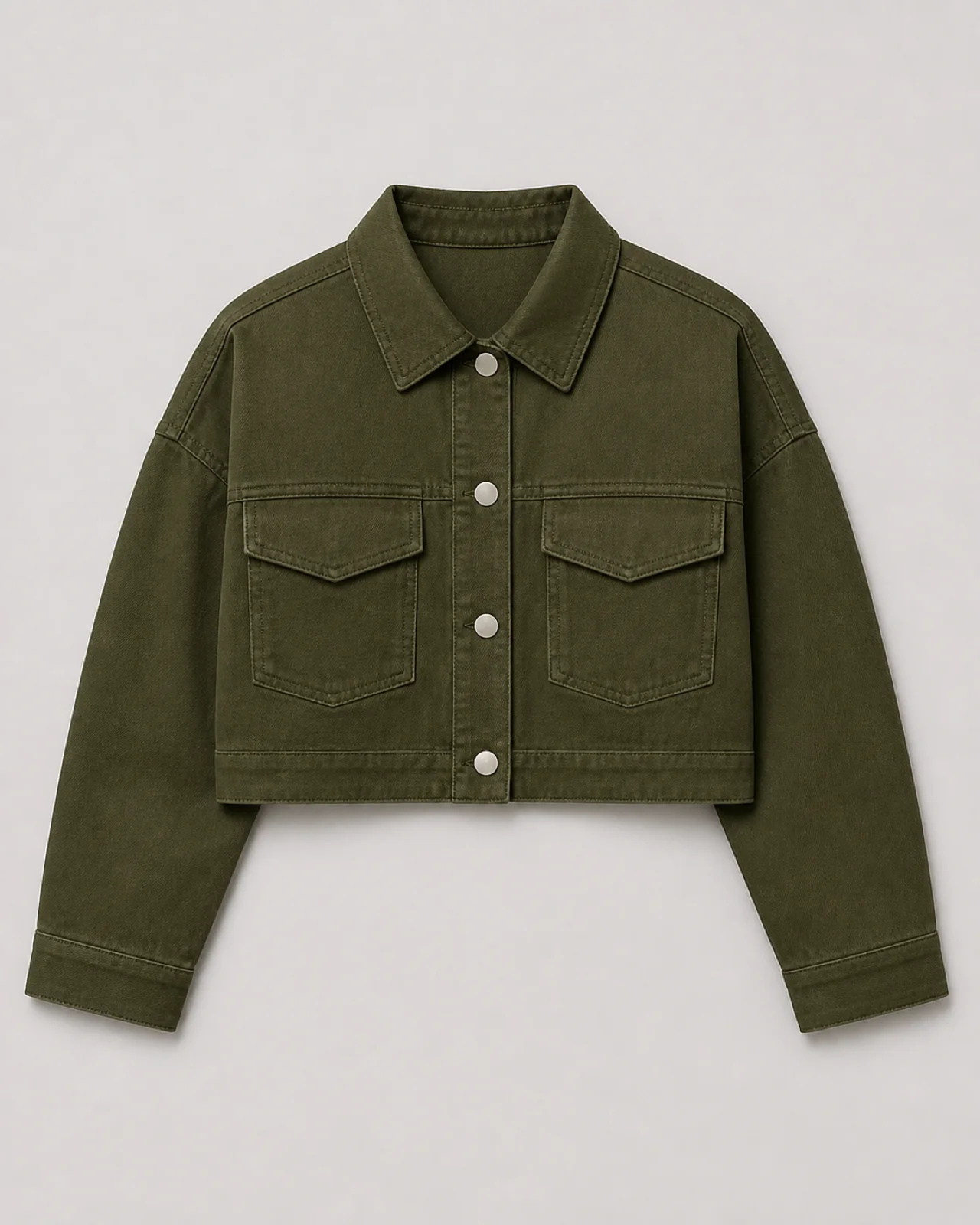
Source garment concept
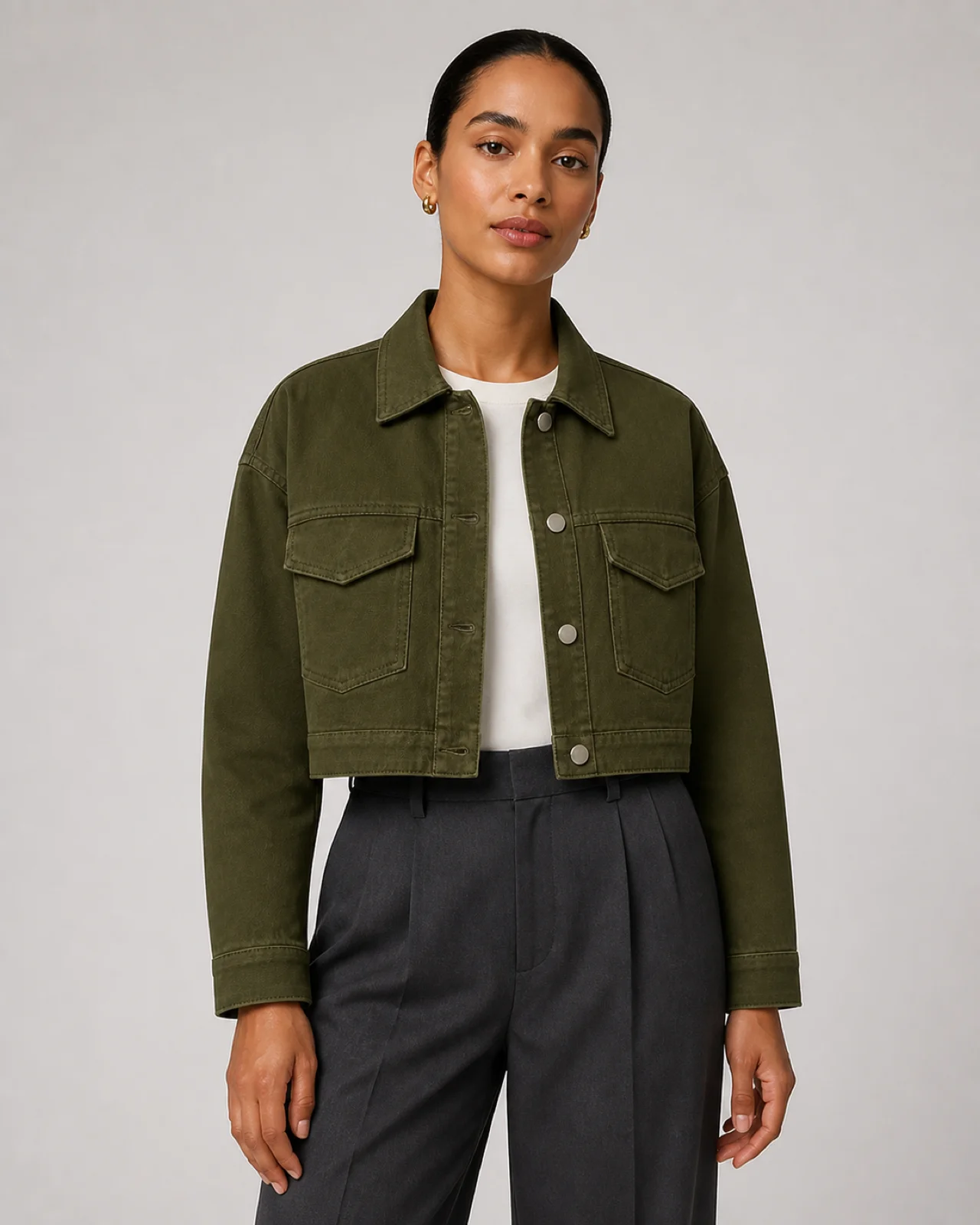
On-model concept
Prepare a useful clothing flat lay
This workflow helps apparel sellers prepare product imagery, not shoppers test fit. A clear source also gives you a better basis for reviewing each generated candidate.
- Use one JPG, PNG or WebP image, up to 10 MB. Show one garment with an unobstructed front.
- Lay out sleeves and hems. Avoid folded edges and overlapping garments.
- Use even light and make colors, logos, prints and fasteners clearly visible.
- Keep close-ups for manual review. Studio takes one source image and cannot verify unseen back or interior details.
From flat lay to reviewed model image
- 01
Prepare the product
Open the on-model workflow, name your product and add its source photo. Drafts stay in this browser on this device.
- 02
Choose a direction and generate
Select a model direction, scene and Channel. Check availability and credits before authorizing generation. Exact model identity and pose are not guaranteed.
- 03
Review and download
Compare the candidate with your source, approve or reject it, and download approved images in custom sizes. Channel does not publish to stores.
The garment matters more than the pose
Check cut, length, color, prints, text, collar, cuffs, pockets and fasteners. Reject images that change the product even when the model and lighting look convincing.
Generation is Beta. A photo cannot establish hidden construction, exact sizing or fit on a particular shopper. Sheer, reflective and finely patterned fabrics need especially careful review.
Flat lay to model questions
Is this the same as a flat lay generator?
They are opposite directions. Flat lay to model starts with a garment-only photo and aims for an on-model image. A flat lay generator typically starts with a worn garment and removes the model. This page covers the first workflow.
Will the garment be reproduced exactly?
No exact-match guarantee is offered. Compare every candidate with the original and real garment. Inferred drape and hidden details can be wrong; only approve images suitable for your intended use.
Can I explore before generating?
You can prepare a local draft and explore Studio. Real AI generation needs an account, credits and an available service. This page does not promise free generation.
Can I publish directly to Shopify or social platforms?
Not yet. Channel prepares downloadable sizes and formats. Named presets are suggestions, not official compliance checks. Review platform requirements and publish the files yourself.
One garment, one workspace
Start with an on-model candidate, or explore Ghost Mannequin for a garment-only presentation. Both lead to the same Studio and review workflow.